

Introduction: Your Gateway to Smart California Solar Management
In the Golden State, solar energy isn't just an investment; it's a lifestyle choice rooted in sustainability, energy independence, and smart financial planning. With California's unique energy landscape, including evolving policies like NEM 3.0 and diverse time-of-use (TOU) rate structures, simply installing solar panels isn't enough. To truly harness your system's power, you need to understand and manage its performance.
This is where your solar monitoring app becomes an indispensable tool. Far more than a digital novelty, it's your personal window into your home's energy ecosystem, providing real-time data, historical trends, and crucial insights that can significantly impact your savings and system longevity. For California homeowners, mastering your solar and battery storage system begins with a seamless monitoring app setup.
At Powercore Inc, we understand that navigating technology can sometimes feel daunting. As a dual-licensed General B & C-10 Electrical Contractor based in Roseville, CA, serving all of California, we're not just installing top-tier solar systems; we're empowering you with the knowledge to manage them effectively. This comprehensive guide will walk you through the essential steps of setting up your solar monitoring app, troubleshooting common issues, and leveraging its full potential to maximize your energy independence and financial returns in California.
Why Your Solar Monitoring App is Crucial in California's Energy Landscape
California's commitment to renewable energy is unwavering, but its regulatory environment is constantly evolving. For solar homeowners, this means that proactive management, informed by accurate data, is no longer optional—it's essential. Your solar monitoring app provides the critical intelligence you need to thrive.
Understanding NEM 3.0 and Time-of-Use Rates
Under California Public Utilities Commission (CPUC) rules, specifically NEM 3.0, the value of exporting excess solar energy back to the grid has shifted significantly. This places a greater emphasis on self-consumption and the strategic use of battery storage. Your monitoring app allows you to:
- Track Real-Time Production & Consumption: See exactly when your panels are generating electricity and when your home is consuming it. This insight is vital for understanding your net energy flow.
- Optimize Battery Dispatch: If you have a battery system, your app helps you visualize its charging and discharging patterns. This is key to programming your battery to store excess solar during peak production hours and discharge during expensive TOU periods, minimizing reliance on the grid when rates are highest.
- Identify Peak Demand: Understand your household's energy usage patterns to make informed decisions about shifting high-consumption activities (like running appliances) to times when solar production is abundant or grid rates are lower.
Proactive System Health and Performance
Beyond financial optimization, your monitoring app is your first line of defense against potential system issues:
- Early Detection of Performance Drops: A sudden dip in daily production could indicate anything from a dirty panel to a malfunctioning inverter. Early detection means faster resolution, preventing prolonged energy loss.
- Verify System Uptime: Ensure your system is consistently producing as expected. Any unexpected downtime will be immediately visible.
- Gauge Environmental Impacts: Observe how factors like shading, weather, or even seasonal changes affect your system's output, helping you understand its natural fluctuations.
By providing this level of transparency, your solar monitoring app transforms you from a passive energy consumer into an active energy manager, perfectly positioned to maximize the benefits of your residential solar system in California.
The Pre-Setup Checklist: What You Need Before You Begin
A smooth solar monitoring app setup starts with a little preparation. Gathering these items beforehand will streamline the process and prevent common frustrations:
- System Documentation: Locate the paperwork provided by your solar installer (like Powercore Inc). This typically includes details about your inverter, battery (if applicable), system size, and potentially login credentials or system IDs.
- Home Wi-Fi Network Details: You'll need your Wi-Fi network name (SSID) and password. Ensure your Wi-Fi signal extends to where your solar inverter or gateway is located. A weak signal can lead to connectivity issues.
- Smartphone or Tablet: The monitoring apps are designed for mobile devices. Ensure your device is updated to the latest operating system for optimal compatibility.
- Utility Account Information: While not always required for initial app setup, having your utility account number handy can be useful for integrating with consumption data or for reference when comparing app data to your bill.
- Powercore Inc Contact Information: Keep our number (916-699-8778) readily available in case you encounter any issues that require professional assistance during or after setup.
Step-by-Step Guide: Your Solar Monitoring App Setup
While specific steps may vary slightly depending on your inverter brand (e.g., Enphase, SolarEdge, Generac, Tesla, etc.), the general process is remarkably similar. Follow these steps to get your app up and running:
1. Downloading the App
- Identify Your System: Your installer (like Powercore Inc) will inform you which monitoring platform corresponds to your solar inverter and/or battery system. Common apps include Enphase Enlighten, SolarEdge MySolarEdge, Generac PWRview, Tesla App, etc.
- Visit Your App Store: Open the App Store (for iOS) or Google Play Store (for Android) on your smartphone or tablet.
- Search & Download: Search for the specific monitoring app for your system. Once found, tap to download and install it.
2. Account Creation & Login
- First-Time Users: If this is your first time using the app, you'll likely need to create an account. This usually involves providing your email address, creating a password, and sometimes verifying your identity.
- Existing Accounts: Many installers set up a basic account for you during installation. Look for initial login credentials provided in your system documentation or welcome email. If you have these, proceed to log in directly.
- System ID/Site ID: You may be prompted to enter a specific System ID or Site ID to link your account to your physical solar installation. This number is unique to your home and should be in your documentation.
3. Connecting to Your System (Inverter or Gateway)
This is often the most technical step, as it involves linking your app to the physical hardware that collects your solar data. Most modern systems connect wirelessly.
- Wi-Fi Setup (Most Common):
- Your inverter or a dedicated communication gateway (like an Enphase Envoy or SolarEdge Gateway) needs to connect to your home Wi-Fi network.
- The app or the inverter's interface will guide you through this. You might need to press a button on the inverter/gateway to initiate a Wi-Fi pairing mode.
- Select your home Wi-Fi network from the list and enter your password.
- Confirm successful connection (often indicated by an LED light on the inverter/gateway or a message within the app).
- Ethernet Connection (Less Common for Residential): Some systems may be hardwired directly to your home's internet router via an Ethernet cable. If this is the case, the connection should be automatic once the cable is plugged in.
- Cellular Connection: Some systems use a built-in cellular modem. In this scenario, the connection is usually automatic and doesn't require Wi-Fi setup from your end.
4. Initial Data Synchronization
Once connected, your app will begin to pull data from your solar system. This might take a few minutes or even a few hours to fully populate with historical information. Don't be alarmed if you don't see all your data instantly. The system is retrieving past performance records.
5. Personalizing Your Dashboard
Most apps allow you to customize what information you see prominently on your main dashboard. Explore the settings to arrange widgets for:
- Real-time power production
- Daily, weekly, monthly, or annual energy generation
- Battery charge level and activity
- Estimated financial savings
- Environmental impact (e.g., CO2 offset)
A well-organized dashboard makes it easier to quickly grasp your system's performance at a glance.
Demystifying Data: What Your App is Telling You
With your app set up, a wealth of information is now at your fingertips. Understanding what these metrics mean is key to effective energy management.
Key Metrics to Monitor:
- Real-time Production (Watts or Kilowatts): This shows the instantaneous power your panels are generating. Watch this fluctuate with sunlight intensity.
- Daily Energy Production (Kilowatt-hours - kWh): The total amount of electricity your system produced over a 24-hour period. This is a crucial metric for tracking overall system health.
- Consumption (kWh): If your system includes a consumption meter, this shows how much electricity your home is drawing from all sources (solar, battery, grid).
- Net Grid Interaction (kWh): The difference between energy exported to and imported from the grid. This is particularly important for NEM 3.0 customers.
- Battery State of Charge (%): For homes with battery storage, this indicates how full your battery is.
- Historical Trends: Review daily, monthly, and annual production to understand seasonal variations and long-term performance.
- System Alerts/Notifications: Your app will often notify you of any faults, communication errors, or significant drops in production.
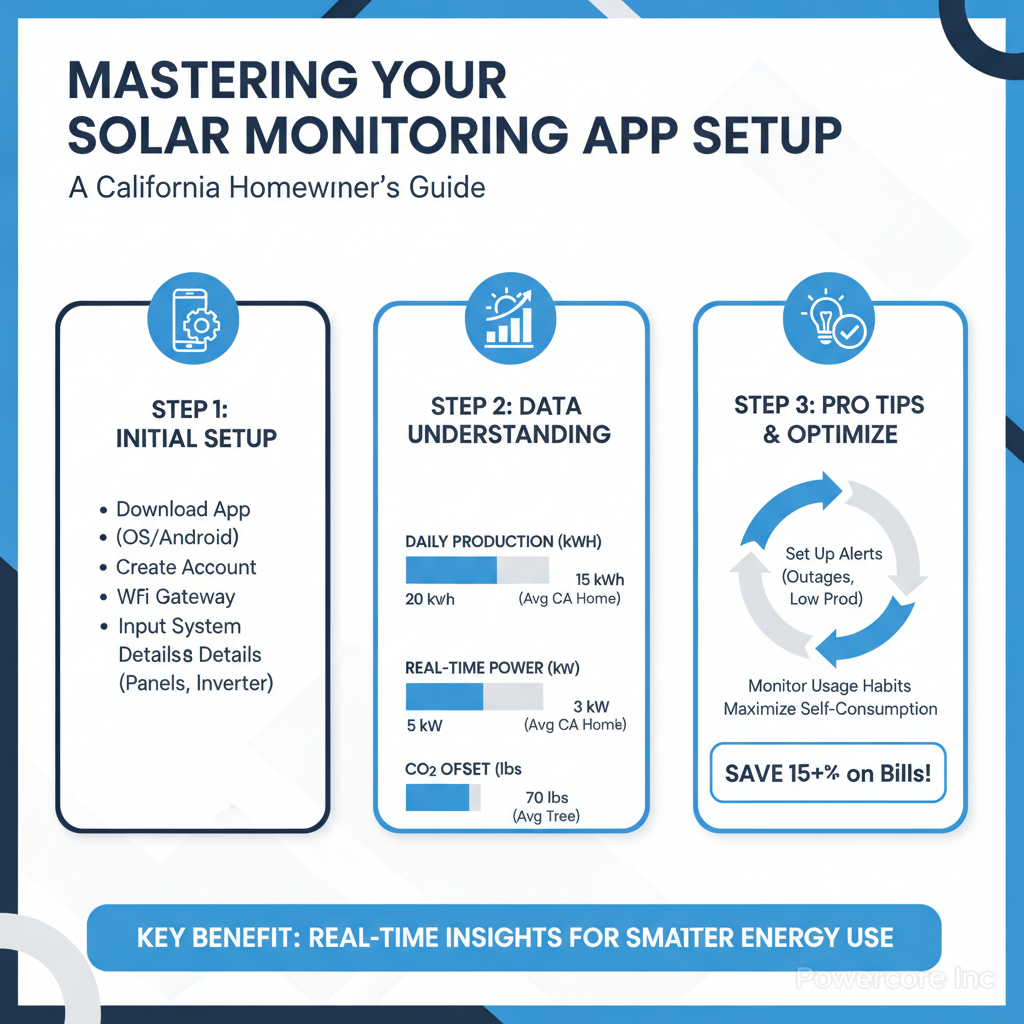
Interpreting the Data for California Homes
For California homeowners, interpreting these metrics goes beyond just knowing how much power you're making:
- Peak Production Hours: Identify when your solar system is at its most productive (typically midday). This is when you should ideally be consuming electricity or charging your battery to maximize self-sufficiency under TOU rates.
- Evening Demand Spikes: Notice when your household's energy demand peaks in the evening. If you have a battery, ensure it's discharging during these expensive grid hours.
- Consistent Underperformance: If your daily production consistently falls below expectations for the weather and season, it might be time to investigate. This could signal a need for solar panel cleaning or a professional system check.
Common Setup Challenges & Troubleshooting Tips
Even with careful preparation, you might encounter a hiccup or two during setup. Here are some common issues and how to resolve them:
Connectivity Issues (Wi-Fi or Internet)
- Weak Wi-Fi Signal: If your inverter is far from your router or in a garage/attic, the signal might be weak. Consider a Wi-Fi extender or mesh system to boost coverage.
- Incorrect Wi-Fi Password: Double-check that you've entered the password correctly. Passwords are case-sensitive.
- Router Settings: Sometimes, router firewalls or security settings can block the inverter's connection. Refer to your router's manual or contact your internet provider for assistance.
- Internet Outage: Ensure your home internet is working properly for other devices.
- Reboot Everything: A classic IT solution. Try rebooting your home router, then your solar inverter (if safe and accessible, following manufacturer instructions).
Missing or Incomplete Data
- Initial Synchronization Delay: As mentioned, it can take time for the app to pull all historical data. Give it 24-48 hours.
- Communication Interruption: If data suddenly stops, it often points to a loss of internet connectivity between your inverter/gateway and the monitoring server. Check Wi-Fi connection first.
- Inverter Off: Ensure your solar inverter is powered on and operating. Sometimes a circuit breaker for the solar system can trip.
Incorrect Readings or Discrepancies
- Daylight vs. Nighttime: Remember, panels only produce power during daylight hours. Nighttime readings will be zero for production (though consumption will continue).
- Weather Conditions: Cloudy days, rain, or heavy smoke (common in California's fire season) will significantly reduce production. Compare your app's data to local weather reports.
- Shading: Even partial shading from trees, chimneys, or other structures can drastically reduce output.
- System Fault: If you suspect genuinely incorrect readings that don't align with weather or time of day, it might indicate a system fault. Contact Powercore Inc for diagnosis.
App Freezing or Crashing
- Update App: Ensure your monitoring app is updated to its latest version from the app store.
- Device Compatibility: Check if your smartphone or tablet meets the app's minimum operating system requirements.
- Clear Cache/Reinstall: Try clearing the app's cache or, as a last resort, deleting and reinstalling the app.
If you've exhausted these troubleshooting steps and are still experiencing persistent issues, don't hesitate to contact Powercore Inc. Our expert technicians are equipped to diagnose and resolve complex solar system communication and performance issues across California.
Maximizing Your App's Potential for California Homeowners
Once your solar monitoring app is functioning smoothly, it transforms from a simple display into a powerful energy management hub. Here's how to truly leverage its capabilities in California:
Optimizing Battery Storage for Time-of-Use Rates
For California homeowners with battery storage systems, your app is paramount for maximizing savings under TOU rates. Most apps allow you to:
- Set Charging Schedules: Program your battery to charge primarily from your solar panels during peak production hours.
- Define Discharge Strategies: Configure your battery to discharge during the most expensive peak TOU periods from your utility, reducing your reliance on costly grid electricity.
- Monitor Grid Dependence: Observe how much energy you're still pulling from the grid during peak times and adjust your consumption or battery settings accordingly.
Identifying Performance Issues and Scheduling Maintenance
Regularly reviewing your app's historical data can help you spot trends that indicate a need for maintenance. A consistent dip in production compared to previous periods with similar weather could suggest:
- Dirty Panels: Dust, pollen, or bird droppings can accumulate and reduce efficiency. Your app data can prompt you to consider solar panel cleaning.
- Shading Changes: New tree growth or nearby construction might be casting shadows you weren't aware of.
- Equipment Malfunction: While rare, component failures can occur. Your app provides the objective data needed for Powercore Inc to diagnose and repair.
Tracking Financial Savings and ROI
Many monitoring apps offer features to estimate your financial savings based on your energy production and local utility rates. While these are estimates, they provide a tangible sense of your return on investment. You can also manually compare your app's reported grid imports/exports against your actual utility bills to verify savings and identify discrepancies.
Integrating with Smart Home Systems
Some advanced solar monitoring apps offer integration with broader smart home ecosystems (e.g., Google Home, Amazon Alexa, Apple HomeKit). This allows for even more sophisticated energy automation, such as:
- Automatically adjusting smart thermostats based on solar production.
- Scheduling smart appliance usage to align with times of abundant solar energy.
For more in-depth strategies on proactive monitoring, refer to our article: Unlock Solar Savings: Your California Guide to Proactive Monitoring App Mastery.
The Powercore Advantage: Expert Support for Your Solar Journey
At Powercore Inc, we believe that your solar journey extends far beyond the installation day. We're committed to ensuring you have the tools and knowledge to operate your system at peak efficiency for years to come. From initial residential solar installation to ongoing support and expert advice on utilizing your monitoring app, we're your trusted partner across California.
Our team of CSLB-licensed professionals understands the nuances of various solar technologies and the specific energy challenges and opportunities unique to California. We're here to help you:
- Confirm proper app setup and connectivity.
- Interpret complex data and make informed energy management decisions.
- Diagnose and resolve any underlying system performance issues.
- Advise on optimizing your system for maximum savings under California's evolving energy policies.
Conclusion: Take Control of Your California Solar Future
Your solar monitoring app is more than just a gadget; it's a powerful instrument for achieving true energy independence and maximizing your investment in California. By understanding its setup, leveraging its data, and troubleshooting effectively, you empower yourself to make smart energy choices that benefit both your wallet and the environment.
Don't let your solar system operate in the dark. Take control with your monitoring app, and remember that Powercore Inc is always here to support you. If you need assistance with your solar monitoring app setup, require a system check, or are considering adding battery storage to further optimize your energy strategy, our expert team is just a call away. Contact Powercore Inc today at 916-699-8778 to ensure your California solar system is performing at its absolute best.